
COMMIT
HAPPENS

Fix SEO issues

How to Fix SEO Issues on Your Website

SEO issues are usually caused by unclear page titles, missing or weak meta descriptions, poor headings, broken pages, slow performance, or pages that do not match what searchers expect. Commit Happens helps identify these issues, explain why they matter, and prioritize what to fix first.
  • Free scan preview
  • Plain English fixes
  • Plans from $19/mo

Scan your site for SEO issues

Anonymous scan: issue highlights only. A free account saves results and unlocks limited explanations. Full AI recommendations, monitoring, Search Console, events, and Reputation Pulse require a paid plan.

Example output

Example: homepage SEO issues

A real-world pattern we see on scans — not a testimonial, just what the report surfaces.

Example

A homepage may be reachable, but still have an unclear title, no useful H1, and a vague first paragraph. Search engines can crawl it, but visitors and Google may not immediately understand what the page is about.

Why it matters

Weak clarity on the homepage drags down impressions and clicks across the whole site.

Next step

Run an SEO check to see which URLs need titles, headings, and copy fixes first.

Product demo

Watch the quick demo

See how Commit Happens helps you spot traffic, SEO, uptime, and performance issues before they become expensive.
Commit Happens demo preview

2-minute walkthrough

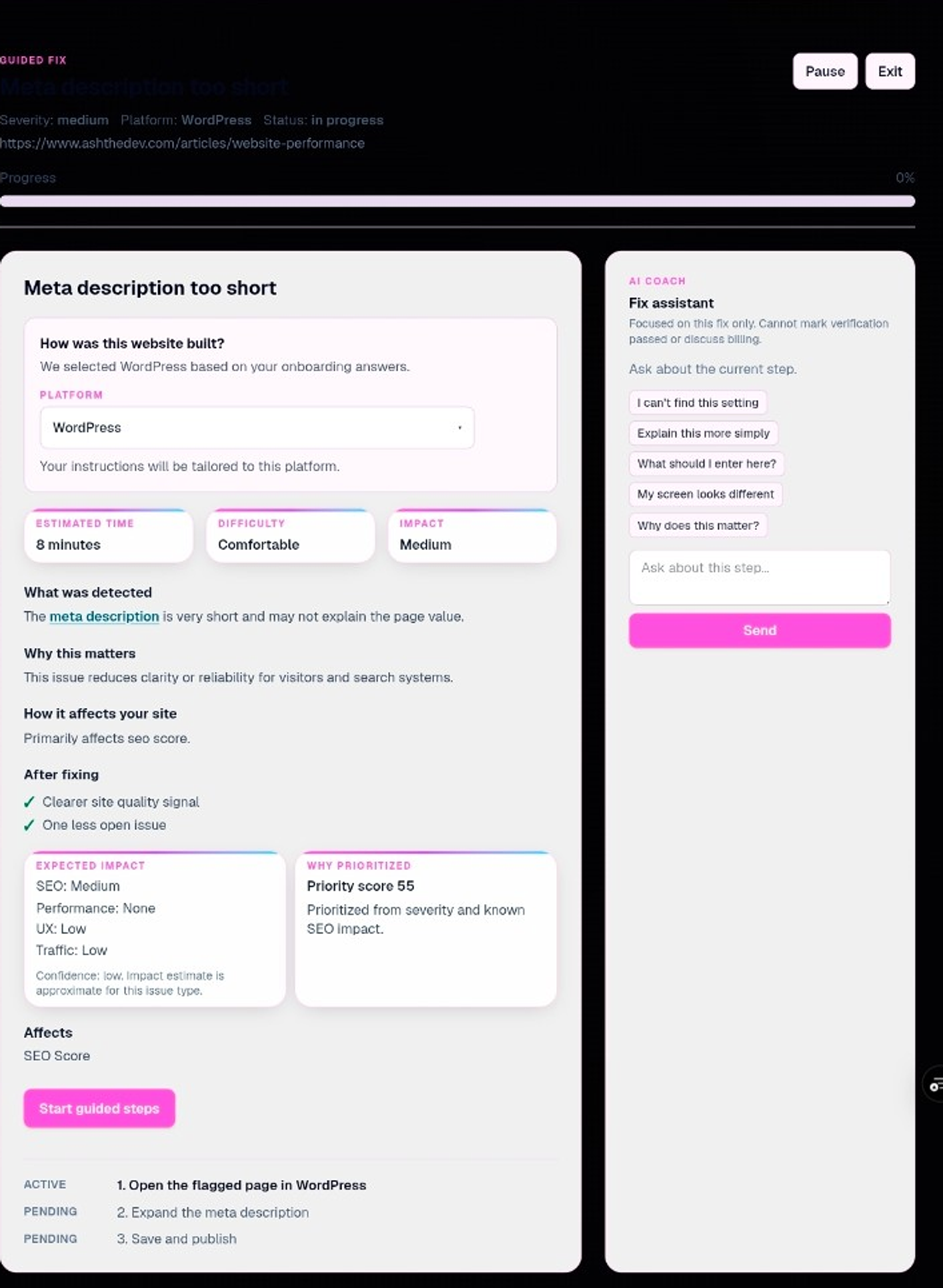
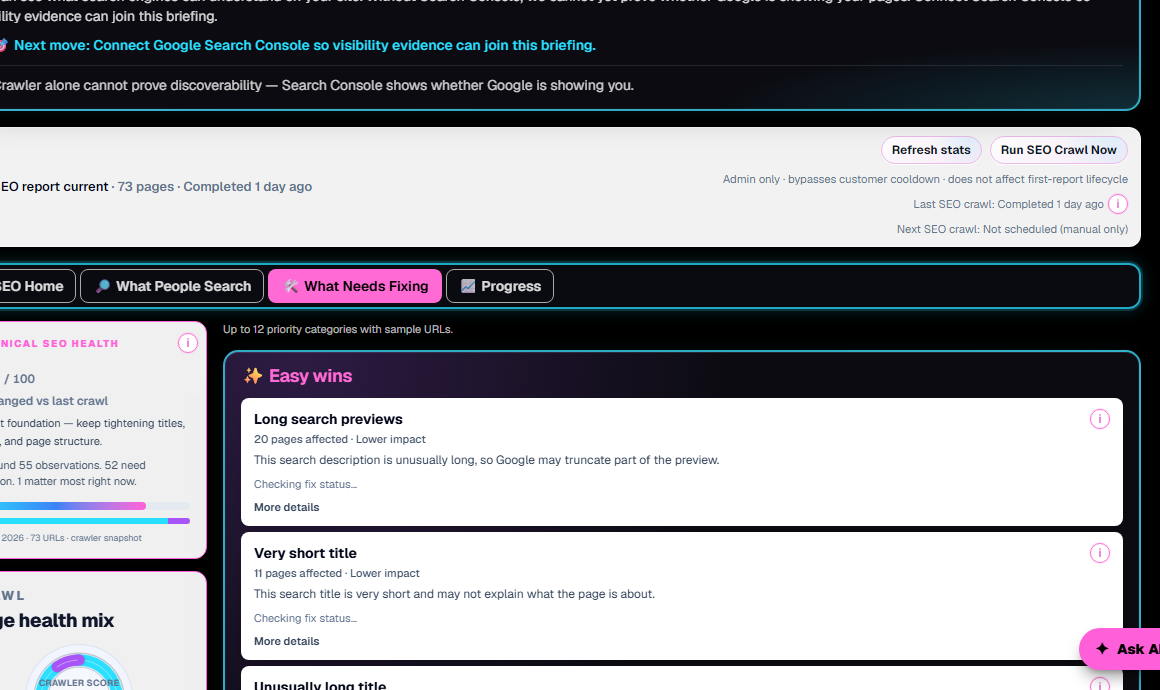
From first scan to ongoing monitoring — see the dashboard, alerts, and fix guidance in action.

Watch demo

What Commit Happens does

One dashboard for website health — not another analytics rabbit hole

Commit Happens monitors uptime, SEO, performance, and traffic, then tells you what to fix first in plain English. Built for owners and small teams who need answers, not a PhD in Search Console.

What problem it solves

Broken pages, slow loads, weak search previews, and quiet traffic drops — surfaced before they cost leads and trust.

Why we're different

Prioritized fixes tied to real URLs. No enterprise maze. No vanity scores without context. Monitoring + scans + explanations in one place.

How to try it

Run a free scan on this page, watch the demo, or compare plans — no homepage detour required.

The problem

SEO problems usually hide in boring places

Ranking problems are often not dramatic. They are missing H1s, weak titles, empty descriptions, slow pages, broken links, and crawl errors quietly stealing clarity.

Why it matters

How SEO issues show up before rankings drop

Most fixable SEO problems are structural, not mystical. They show up as duplicated titles, missing meta descriptions, pages without a clear H1, slow load times, broken internal links, and crawl errors that stop important URLs from being understood.

Commit Happens translates each issue into plain English — what happened, why it may hurt visibility or clicks, and what to change on the page. You do not need to memorize canonical tags to make progress; you need a prioritized list tied to real URLs.

How to fix SEO issues on your homepage

Your homepage is often the first URL Google tests and the page most visitors land on. When Search Console shows homepage SEO errors, start here before chasing low-traffic archives.

  • Make the H1 explain what the business does — not just a slogan.
  • Put the primary service or topic near the front of the title tag.
  • Make the first paragraph match the promise of the page.
  • Add one clear CTA above the fold.
  • Link to important service and tool pages from the homepage.

Why your SEO may have stopped working

Rankings and impressions can soften even when the site still loads. These are common causes when SEO stopped working after things looked fine:

  • A site redesign changed titles, headings, or URL structure.
  • Important pages were renamed, merged, or removed without redirects.
  • Search intent shifted and the page no longer matches what people want.
  • Competitors improved content depth, speed, or clarity.
  • Pages became slower after new scripts, images, or plugins.
  • Internal links changed and key URLs lost crawl paths.
  • Technical crawl issues appeared — errors, blocks, or indexability problems.

What to fix first

You do not need to fix every crawl warning in one weekend. Commit Happens ranks issues by business impact:

  • Start with pages that already get traffic or should convert.
  • Fix broken pages and unclear titles first.
  • Then improve meta descriptions and headings.
  • Then improve content depth and internal links.

Symptom → cause → fix

Common problems, translated

Several pages share the same title in search

Cause

Templates reused the same metadata across URLs

Fix

Give each page a unique title that states its job — homepage sells value, services explain offers, pricing compares plans.

Search snippets look vague or duplicated

Cause

Meta descriptions missing, too short, or copy-pasted

Fix

Write one specific description per URL that explains what the visitor gets after they click.

Important pages feel slow on mobile

Cause

Heavy images, scripts, or render-blocking assets above the fold

Fix

Compress hero media, defer nonessential JS, and fix conversion pages before polishing archives.

Crawl finds errors or blocked URLs

Cause

Broken links, server errors, or pages crawlers cannot reach

Fix

Fix reachability first — search engines cannot rank what they cannot fetch.

Feature breakdown

Common SEO issues that hurt websites

Missing or unclear title tags

Titles that are vague, duplicated, or missing make it harder for searchers and crawlers to understand each page.

Weak meta descriptions

Snippets that repeat or say nothing useful hurt click-through even when the page ranks.

Missing or confusing H1s

When the main heading is absent or off-topic, the page topic is harder to parse.

Slow pages

Performance issues frustrate visitors and can weaken experience signals on money URLs.

Broken links or error pages

Dead ends waste crawl budget and break trust for visitors following internal links.

Duplicate page titles

Multiple URLs competing with the same title confuse which page should rank.

Pages that do not match search intent

Content that answers a different question than the query rarely earns lasting visibility.

Thin content on important pages

Key service or product pages need enough useful detail to earn trust and clicks.

Take the next step

Ready to see what's happening on your website?

Run a free scan, watch the demo, or compare plans — every path starts here, not on the homepage.

Want to see it first? Watch the 2-minute demo.

Plans

Plans starting at $19/month

Monitor uptime, performance, SEO, and traffic from one dashboard. Free tier available — upgrade when you need maps, Search Console, scheduled crawls, and AI guidance.

Issue deep dives

Learn what the scan is yelling about

Short explainers for common crawl findings — useful context before you edit pages or open the dashboard.

FAQ

Fix SEO issues FAQ

How do you fix SEO issues on a website?

Start with pages that matter for traffic or conversions. Fix broken URLs and unclear titles, then meta descriptions and headings, then content depth and internal links. Commit Happens highlights issues in that order so you are not guessing.

What should I fix first on my website?

Fix broken pages and reachability first, then clarify titles and H1s on URLs that already get traffic, then meta descriptions and speed on money pages. Low-traffic archives can wait.

Why did my SEO stop working?

Common triggers include redesigns that changed metadata, removed pages, slower performance, shifted search intent, stronger competitor pages, or new crawl errors. A fresh scan plus Search Console data helps separate technical problems from content gaps.

How do you fix SEO errors on a homepage?

Clarify the H1, put your main topic early in the title tag, align the first paragraph with what you sell, add a clear CTA, and link to key service pages. The free scan flags homepage title, heading, and snippet gaps quickly.

How do I check if my website has SEO issues?

Run a free SEO checker or website health check on your domain. Commit Happens crawls public pages and flags metadata gaps, heading problems, errors, and performance clues you can fix without a technical background.

Do I need to know technical SEO?

No. After signup we explain issues in readable language. The anonymous scan stays intentionally light so you are not baited with full fix copy before you opt in.

Get started

Start monitoring your website before small issues become expensive problems.

Paste your URL for issue highlights. Create a free account to read explanations and save scans; upgrade when you want deeper guidance and ongoing SEO monitoring.

Run an SEO check

Anonymous scan: issue highlights only. A free account saves results and unlocks limited explanations. Full AI recommendations, monitoring, Search Console, events, and Reputation Pulse require a paid plan.

Related tools

Watch demo · View Pricing